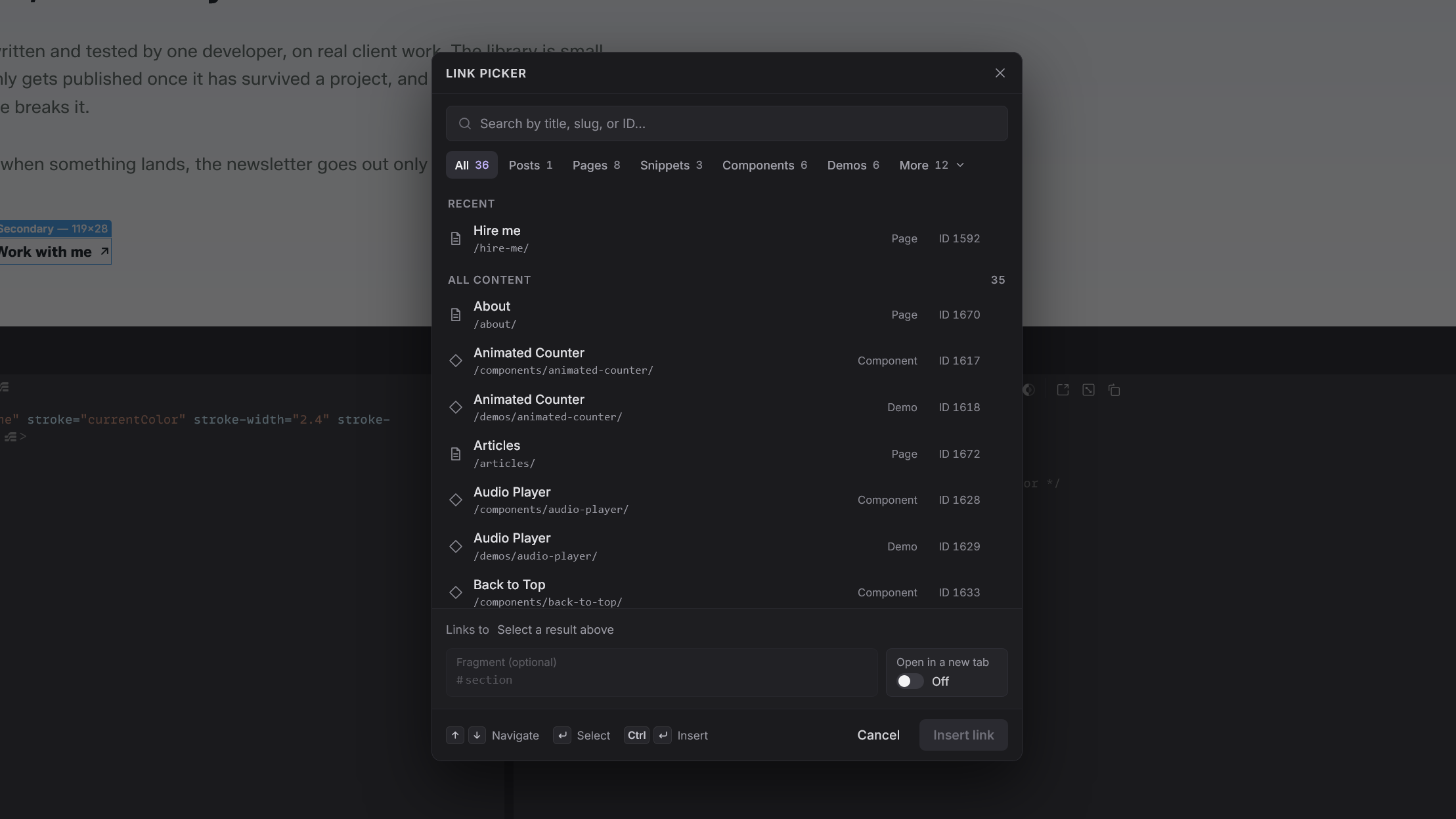
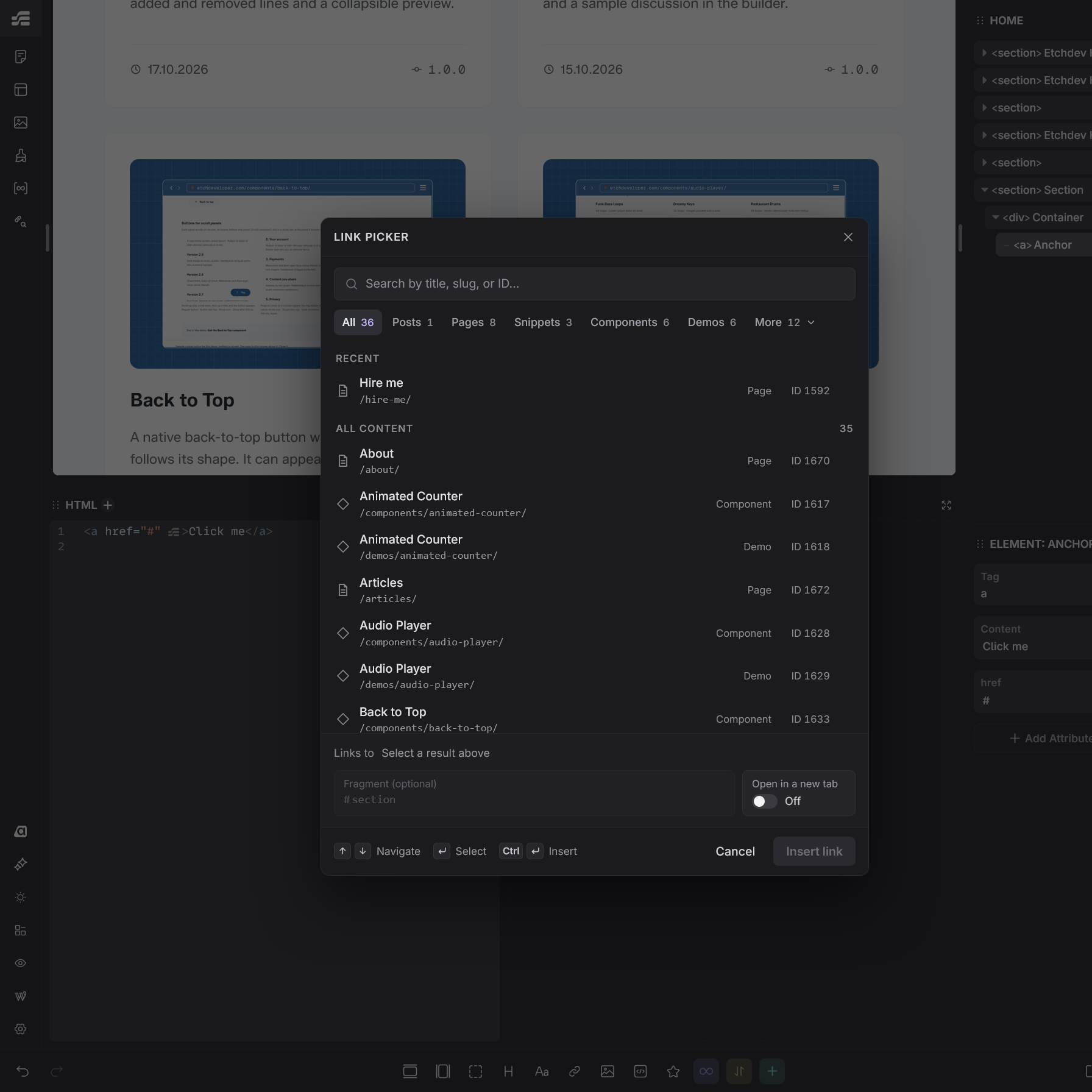
Choose a page, post, category or archive for any Etch link from a searchable list instead of typing the URL by hand. When its address changes, every link to it follows automatically.
The picker opens from the Etch Settings Bar and lists published content, terms and archives.
What it solves
Etch has no link picker. This plugin adds one.
Without the plugin
1You type href="/contact/" by hand.
2You rename the page to /get-in-touch/.
3Every typed link now leads to a 404.
With Link Picker
1You pick Contact in Link picker.
2You rename the page to /get-in-touch/.
3Every link updates on its own.
Safe to switch off
When Etch ships its own link picker, deactivate this plugin. Links keep their last saved address as a plain href. Run Update saved addresses in Tools > Link Picker for Etch first, so that address is the current one.
The picker lives in the Etch Settings Bar. There is nothing to configure first.
01
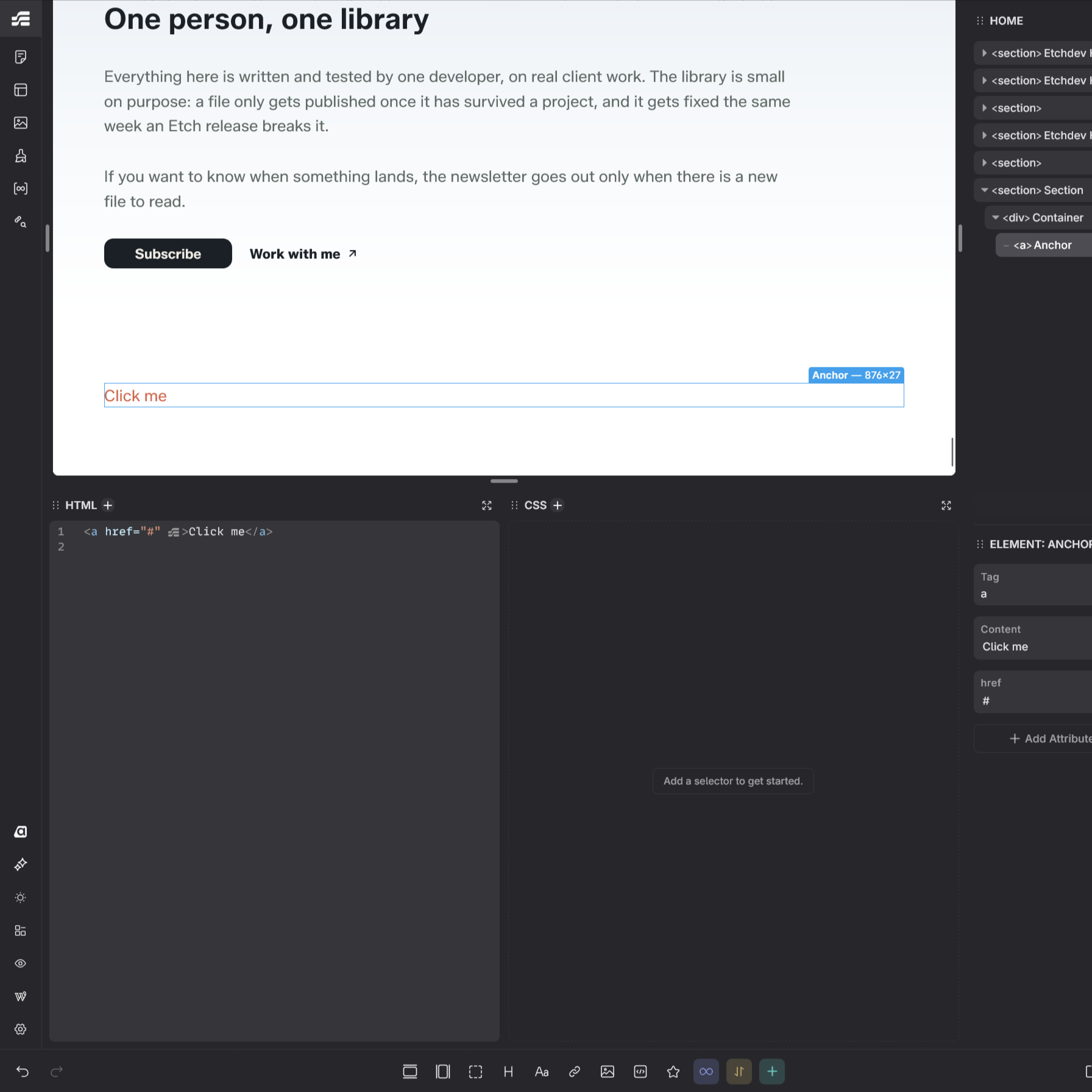
Select a link on the canvas
Any normal Etch Anchor, the a element. Its classes and content stay as they are.
02
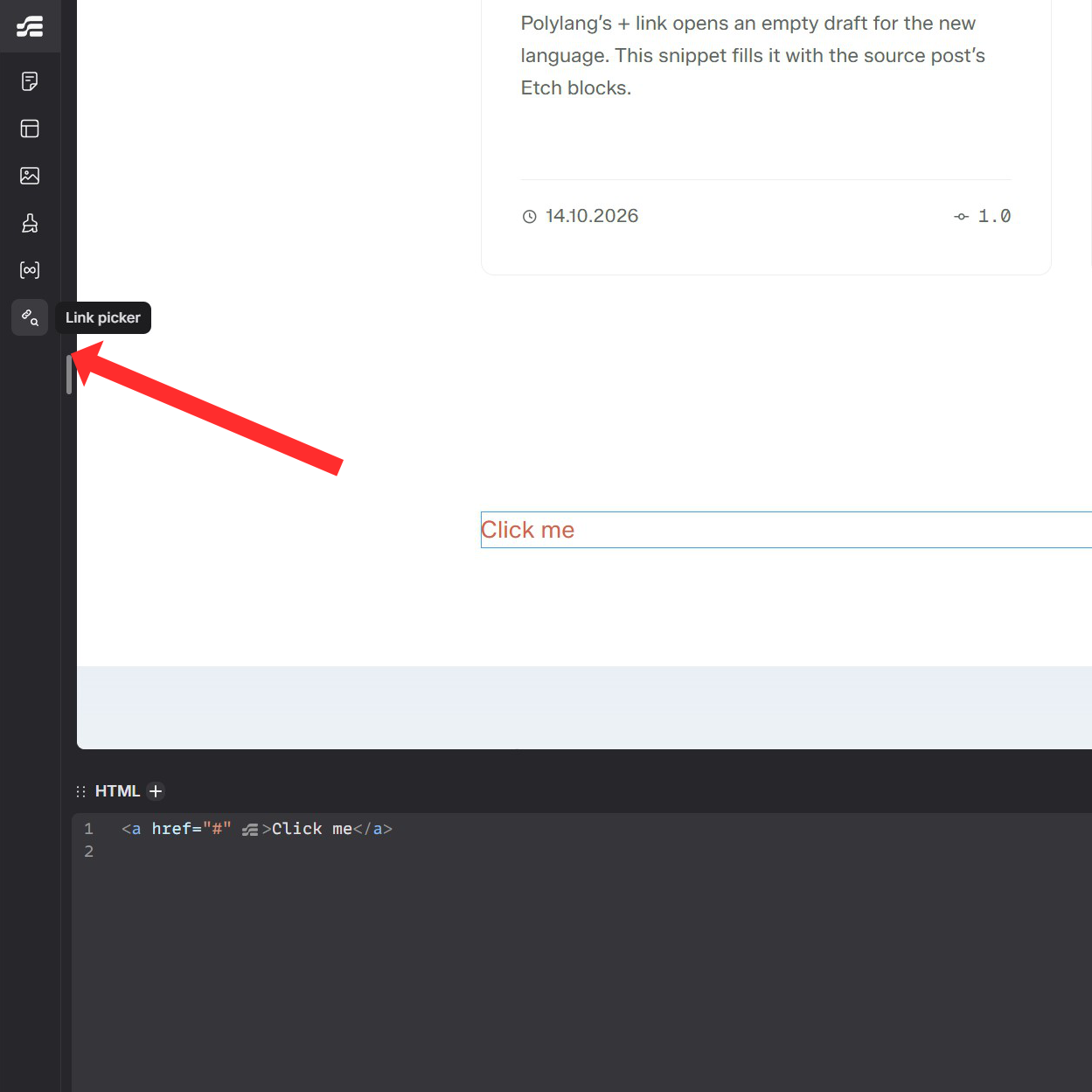
Click Internal Link
The link icon sits at the end of the top group. It opens a list of your published content, sorted by title.
03
Pick the target
Search by title, slug, ID or path, or paste a link. Click a result, then Insert link. Save the page in Etch to keep it.
Under the hood
Two extra attributes and a normal href
Inserting a link writes the href and two attributes on the Anchor: the target and the address it had when you chose it. While the plugin is active, the target decides where the link goes. The href is the fallback that works without it.
1. Saved in Etch after you pick Contact (Page #123)
<aclass="cta"href="/contact/"data-tc-etch-link-post-id="123"data-tc-etch-link-address="/contact/">Talk to us</a>
2. Sent to visitors after Contact moves to /get-in-touch/
<aclass="cta"href="/get-in-touch/">Talk to us</a>
The address is resolved on the server, and a #fragment or your own query parameters are kept. Both attributes are removed from the rendered HTML and stay untouched in the saved content. A term or an archive is stored as term:12 or archive:book.
What it leaves out
No custom tables
No stored settings
No post types
No shortcodes
No dynamic-data expressions
No scripts for visitors
No link registry to keep in sync
No tracking or cookies
Details
What it takes care of
Pages, posts, terms and archives
The picker offers published content of every public post type, terms of public taxonomies such as categories and tags, and post type archives. Filters narrow the list to one kind. Drafts, private, pending and scheduled content and Media Library files are not offered.
Search by path or pasted link
Search by title, slug, ID or path, or paste a link. A link to a page of this site, to the Etch builder or to a WordPress edit screen finds what it leads to or edits. With an empty search, Recent lists the targets you used last.
Section links and new tabs
Type a fragment such as contact in Fragment, or choose one of the IDs on this page. Open in a new tab adds target="_blank" with rel="noopener". Links to shows the final address before you insert it.
Addresses you type stay yours
Change the href of a linked Anchor in Etch, for example to another path, a full URL, mailto: or tel:, and the link detaches: the site shows your href as typed. An added #fragment or query parameter keeps the link. A dynamic href is replaced only after you tick Replace the dynamic href.
No stale links after unpublishing
If linked content goes back to draft, becomes private or moves to the Trash, its links keep their text and classes but render without an href. Publish it again and the link returns.
Warnings before deleting linked content
On the content and term lists, moving linked content to the Trash, deleting it or deleting a linked term asks for confirmation first, with the number of linking Anchors and what happens to them. A change made elsewhere, such as through the REST API, shows a warning on the next admin page.
Site Health and an exit tool
Three Site Health tests list links whose target was deleted or unpublished, saved addresses that are outdated and source links that have no effect. Tools > Link Picker for Etch lists every linked Anchor and can run Update saved addresses or Remove all source links, each with a preview first.
Works inside components
Choose Edit Component, select the Anchor inside it and click Link picker. The link is saved with the component when you save in Etch, so it holds on every page that uses it. Component properties cannot be linked.
Help when the selection is not a link
Click Link picker when the selection is not an Anchor and a notice names what is selected. When it sits inside an Anchor, such as the heading of a card link, the notice offers Open Link picker for that Anchor.
Unlinking keeps what visitors see
Remove source link deletes both attributes and leaves an ordinary link with the address the site shows now. Before you click it, Current says what the link becomes.
Nothing loads for visitors
Editor files load only in the Etch builder, for logged-in users who can edit pages. Visitors get plain HTML with the resolved href.
Built on the public Etch API
Every Etch method the plugin calls is public and checked before use. Etch 1.7.0 does not render a name for Settings Bar controls, so the plugin names its own button.
Installation
Install it
There is no settings page. Etch must be installed and active. Once the plugin is active, Link picker is in Etch.
Upload it in WordPressGo to Plugins → Add New Plugin → Upload Plugin, choose the file and click Install Now.
03
Activate the pluginFrom the same screen, or later from the Plugins list.
04
Open Etch and pick your first linkSelect an Anchor, click Link picker at the end of the top group of the Settings Bar, choose a target and click Insert link. Then save the page in Etch.
Updating
Updates arrive in the WordPress dashboard, under Plugins and Dashboard > Updates, like those of other plugins. Click Check for updates next to Link Picker for Etch to check now, or turn on Enable auto-updates; the plugin does not turn them on for you. Version 1.0.0 will replace this release candidate as a normal update. To update by hand, upload the new zip the same way and choose Replace current with uploaded. Your server must reach etchdeveloper.com over HTTPS. Your links are not affected.
Requirements
What it needs and where it stops
WordPress
7.1.3 or later. Tested with 7.1.3.
PHP
8.3 or later
Etch
Installed and active. Tested with Etch 1.7.0.
Who can use it
Link picker: users who can edit pages (edit_pages). Tools > Link Picker for Etch: users who can manage options (manage_options) and edit each item it changes.
Limitations
Lists only post types and taxonomies that WordPress reports as publicly viewable.
Media Library files and component properties cannot be linked.
Live addresses apply to content that passes through the WordPress render_block filter.
Stored content is not rewritten when an address changes. The saved href changes only when you choose the content again and save the page, or when Tools > Link Picker for Etch updates saved addresses.
A link follows its target only while its href is at the stored address. A path you change in Etch, even one that leads to the same content, such as /about/2/, detaches the link on purpose; choose the content again to link it.
A deleted or no longer public target keeps the last saved href.
A pasted link is read by simple rules: former addresses and plain term links, such as /?cat=5, find nothing.
Content copied from another site keeps its stored IDs and addresses: a link follows the content that has that ID on this site.
Site Health checks published content, and the exit tool also drafts. Neither checks links in other plugins' data.
The confirmations before a deletion cover single rows and bulk actions on the content and term lists. Empty Trash asks nothing.
No built-in Polylang or WPML handling. Developers can use the hooks described in the FAQ.
FAQ
Questions before you install
What happens to my links if I deactivate the plugin?
They stay ordinary links with the address saved in each Anchor. Only the live address updates stop. If content was renamed or moved while the plugin was active, a saved address can be outdated: WordPress redirects the old address of a renamed post, but not of a page. So first open Tools > Link Picker for Etch and choose Update saved addresses. To leave no plugin data in your content, choose Remove all source links.
What if Etch adds its own link picker?
Run Update saved addresses in Tools > Link Picker for Etch, then switch this plugin off; your pages keep working. Each link keeps its target in data-tc-etch-link-post-id and its address in data-tc-etch-link-address, so a move to Etch's own format can read them directly. The plugin does not try to guess how Etch will store links.
Can I link to posts, products or other post types?
Yes. The picker offers published content of every post type that WordPress reports as publicly viewable, so posts and public custom post types are included. Terms of public taxonomies, such as categories and tags, and post type archives are offered too.
Does the picker save the page?
No. Insert link, Update link and Remove source link change the Anchor in Etch like any other edit, and Undo reverts them. Save the page in Etch to keep the change; until then, the site shows the previous link.
Will the plugin overwrite an address I typed by hand?
No. If you change the path of the href in Etch, for example /about/ typed into a button that was linked to Contact, the link no longer belongs to its content and the site shows your href as typed. That includes a full URL, #section, mailto:, tel: or a dynamic Etch value. A fragment or query parameters that you add, such as #team or ?utm_source=news, keep the link. Site Health lists the Anchors you changed.
Can I use it with dynamic data or component properties?
The picker writes a fixed address. If an Anchor's href is a dynamic Etch value, such as a loop field, the site shows the value that Etch fills in, also when the Anchor has a source link. The picker warns you and replaces it only after you tick Replace the dynamic href. A fixed address in place of a component property is the same in every instance of the component; to link one instance, set the property on that instance.
Can I link to a PDF or another file?
Not with the picker. WordPress keeps a file's URL until the file is deleted, so paste the file URL from the Media Library as an ordinary href.
What if I unpublish or delete linked content?
Content moved to draft, private or the Trash makes its links render without an href until it is published again, so visitors do not land on a dead page. Deleted content leaves its links with their last saved href, which no longer works. Before you trash or delete linked content from the lists, the plugin asks you to confirm and shows how many Anchors link to it. Site Health lists the affected links.
Does it slow down my site?
Visitors get no extra scripts or styles. On render, the plugin only processes blocks that contain its attributes and looks up each target once per request. It was measured in WordPress Playground (PHP as WebAssembly, with SQLite) with 10,000 published pages and posts, 2,000 terms and 2,000 linked items: a page of picker results took at most 0.1 seconds, the Site Health tests 2.5 seconds together.
Does it work with Polylang or WPML?
There is no built-in integration with translation plugins. Each link points to exactly the content you picked, whatever its language. A developer can map it to a translation with the link_picker_for_etch_target_id filter, for example with Polylang's pll_get_post(). The readme in the zip has the example.
Are there hooks for developers?
Yes. link_picker_for_etch_post_types and link_picker_for_etch_taxonomies limit what the picker offers and the site resolves. link_picker_for_etch_target_id, link_picker_for_etch_target and link_picker_for_etch_href change only the rendered link, for example to point it to a translation; Site Health and the exit tool keep using the stored target. link_picker_for_etch_load_editor decides where the editor files load. The readme in the zip documents each one.
What does the plugin send or store?
During WordPress update checks, the updater requests public release information from etchdeveloper.com over HTTPS. It sends a Link-Picker-for-Etch/version User-Agent and no site URL, user data, page content or credentials; the server sees your server's IP address in its access logs. The release information is cached for six hours. The picker keeps up to five recent targets in your browser's localStorage, and a warning about unpublished or deleted linked content is kept for up to ten minutes as a WordPress transient. There are no tracking scripts or cookies.
Which keys does the picker use?
Arrow Down moves from the search field to the results, Arrow Up and Arrow Down move between them, and Home and End jump to the first and last. Enter selects a result; Enter on the selected result, or Ctrl+Enter (Cmd+Enter on macOS) anywhere in the picker, inserts it. Escape closes the More menu, then clears the search, then closes the picker. While the picker is open, no key reaches Etch's shortcuts, so Delete does not delete the Anchor under it.
I don't see Link picker in Etch.
Link picker is the chain with a magnifying glass at the end of the top group of the Settings Bar. Check that Etch is active and that your user can edit pages. If a notice opens instead of the picker, the selection is not an Anchor; select one first. The plugin waits about a minute for Etch to load, then stops. Reload the builder, and if Link picker is still missing, report it below with your Etch version.
Changelog
What changed
1.0.0-RC-1Latest
First public release, published as a release candidate for 1.0.0. Please report problems through the form below.
Support
Something not working?
A bug, a new Etch version that broke Link picker, or a feature you need. Send your Link Picker for Etch, WordPress, Etch, PHP and browser versions, the steps to reproduce it and any error message. Do not send credentials.